
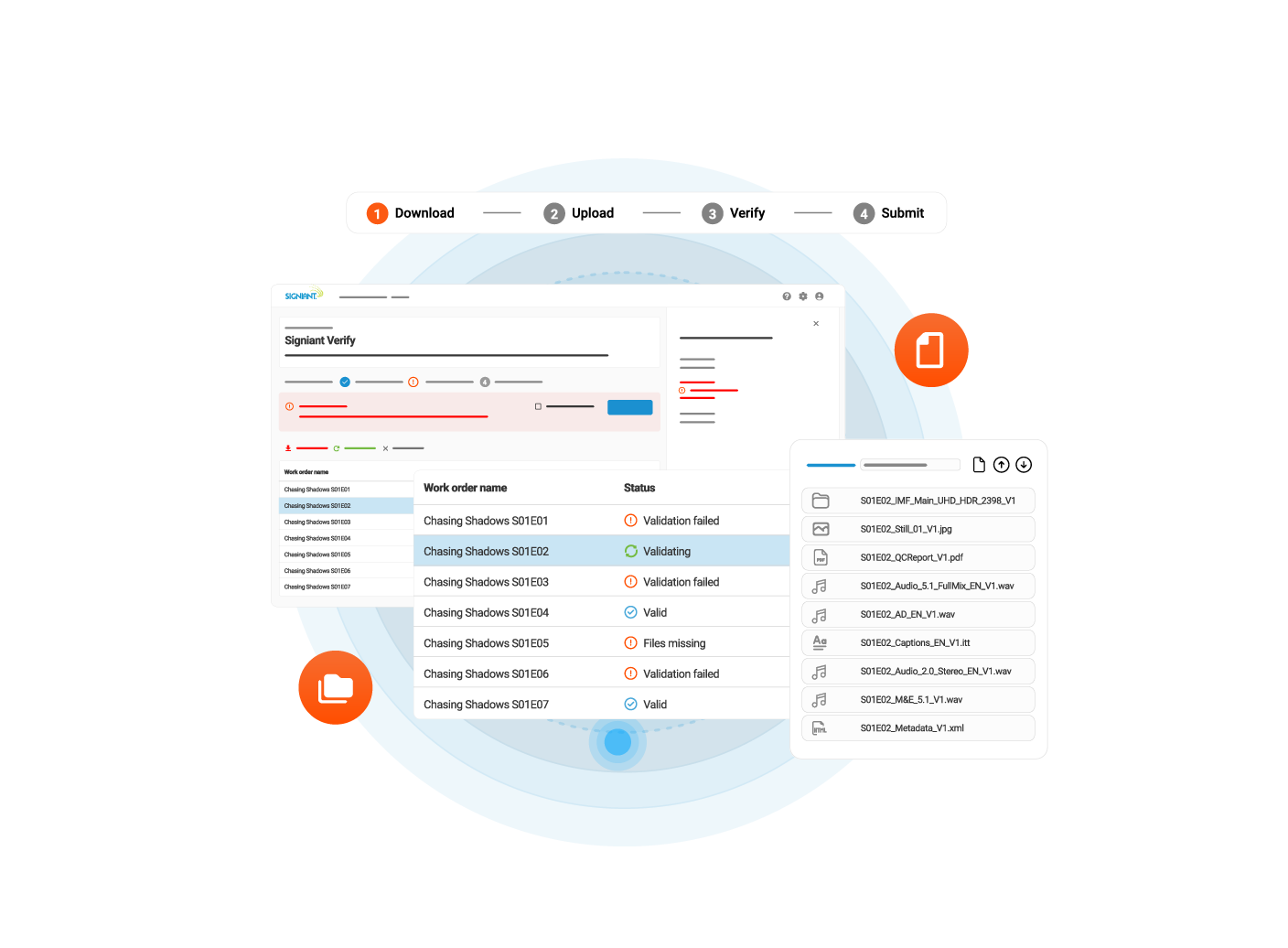

Coming Soon!

Signiant Verify

Validate content before submission  

How Verify Works

Signiant Verify is a pre-submission content validation service that ensures inbound content packages are complete and meet technical requirements before transfer even begins. 

Designed for organizations receiving and managing large volumes of varied content from content suppliers, including broadcasters, streaming platforms, airline and hospitality networks, and more. 

Instead of dealing with issues after content arrives, teams can move forward with preparation, distribution, and delivery without delays. 

Verify reduces rework, manual effort, and operational overhead so teams can keep projects on track. 

Define Requirements

1. Define Requirements

Using pre-configured delivery specifications, requesters define the required materials, file types, and technical standards for each content package. This creates a consistent framework every submission must meet. 
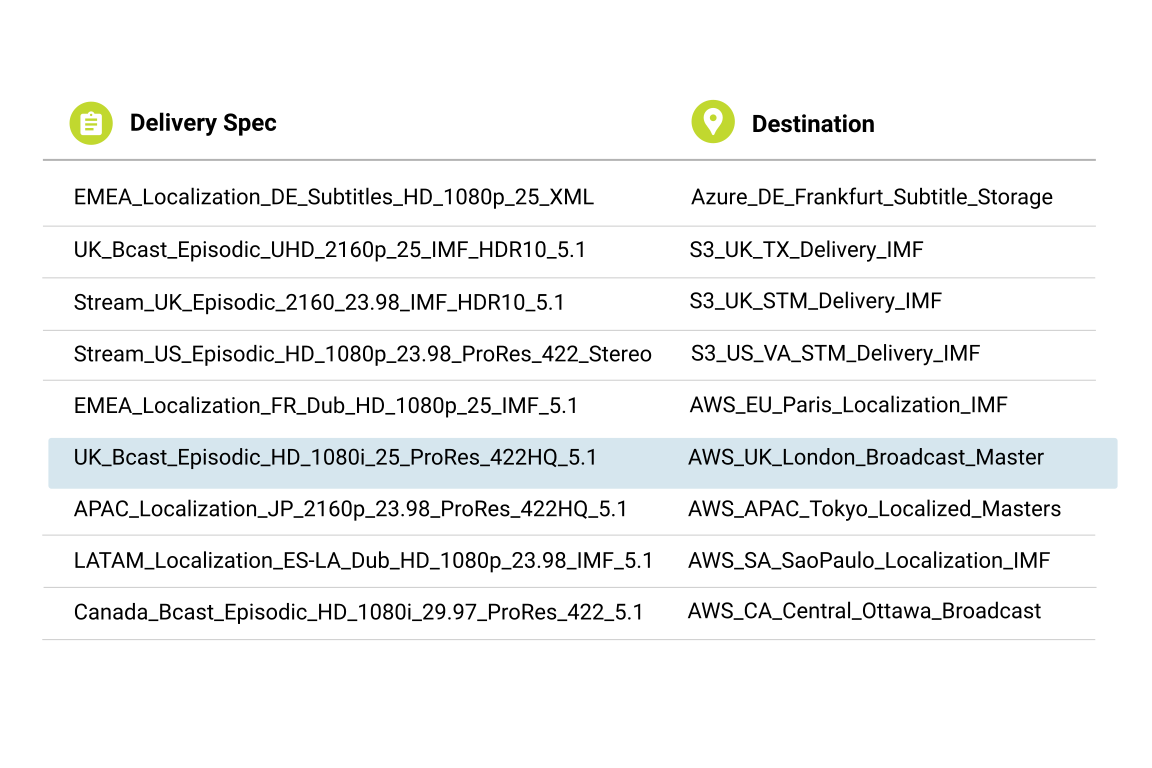
  • Delivery specs can include multiple material types per package 
  • Technical standards cover parameters like resolution, bitrate, codec, and audio channels
  • The same specification applies consistently across all suppliers and submissions, eliminating interpretation gaps and reducing back-and-forth
  • Send Request

    2. Send Request

    Requesters share a manifest with the content submitter outlining exactly what needs to be delivered. The manifest serves as a structured guide, aligning expectations before submission begins. 
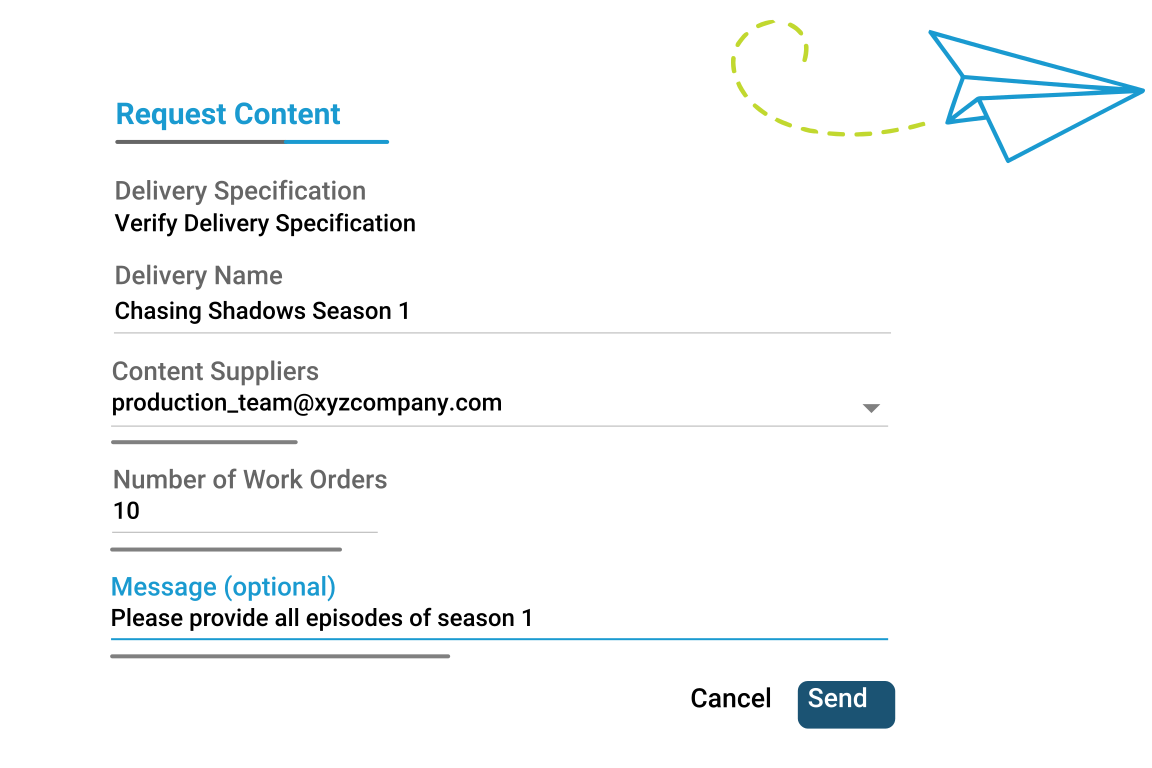
  • Acts as a structured record of exactly what packages and materials are expected  
  • Provides content submitters a clear, unambiguous checklist to follow before submission  
  • Eliminates guesswork and reduces the risk of incomplete or incorrect deliveries 
  • Fill Out & Upload

    3. Fill Out & Upload

    The submitter completes the manifest and uploads it along with associated files through Verify. All materials are checked against predefined requirements, ensuring a structured and consistent submission. 
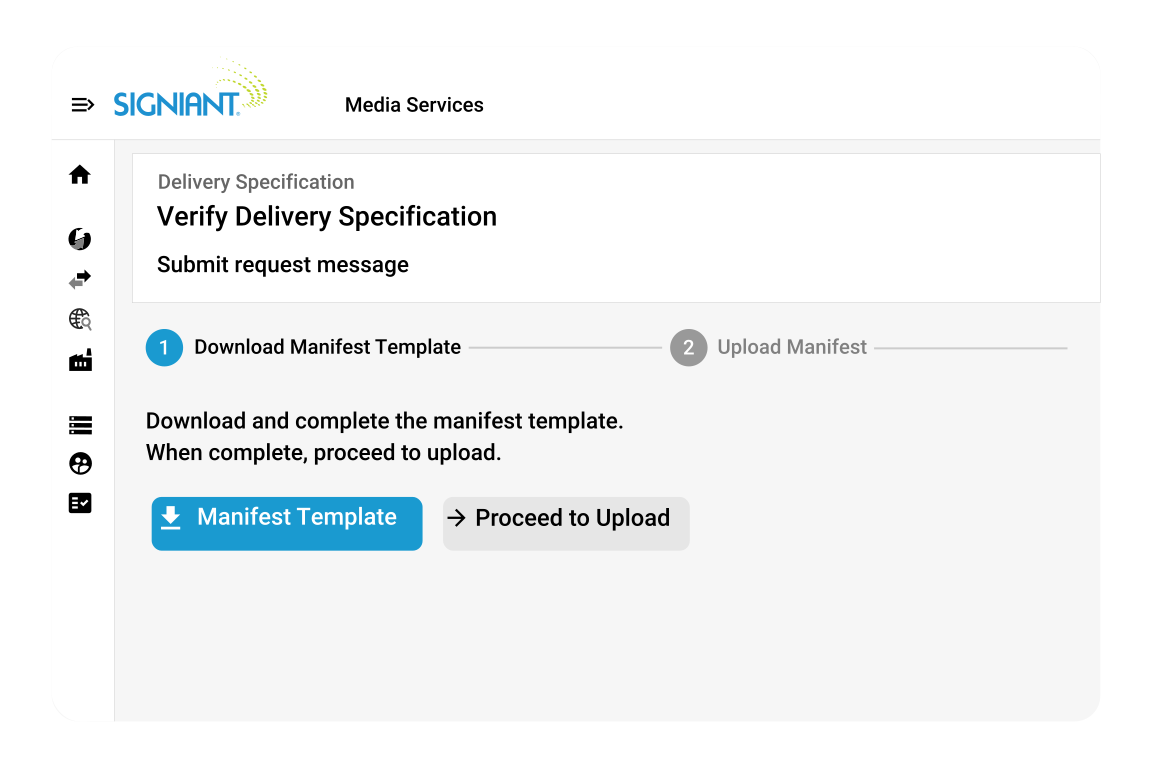
  • Submitters map their file names and storage locations to the predefined requirements, following a structured, guided process rather than ad-hoc delivery methods
  • Completed manifests are then uploaded to the requesters Signiant UI to initiate submission
  • Validate Automatically 

    4. Validate Automatically

    As the submission is made, Verify instantly checks the package against defined specifications.

    This includes:
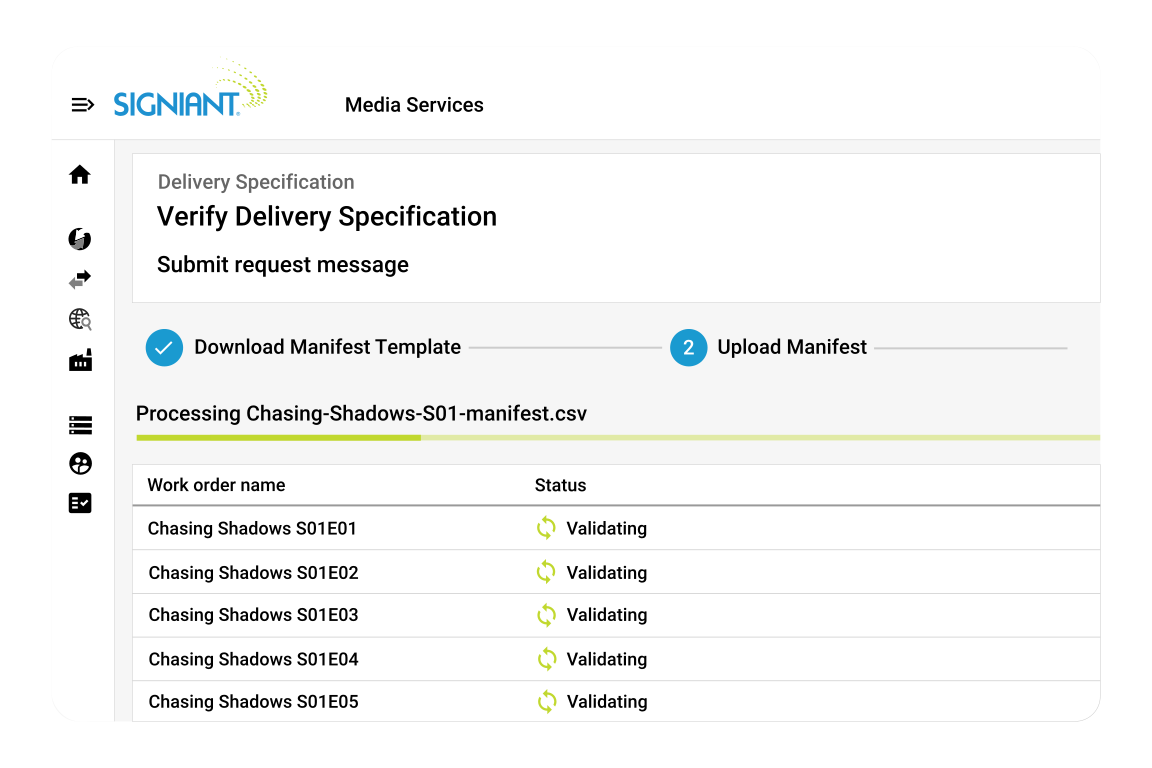
  • All required materials are present 
  • Each file aligns to the defined technical specifications 
  • The package structure matches the delivery requirements
  • Fix and Resubmit

    5. Fix and Resubmit

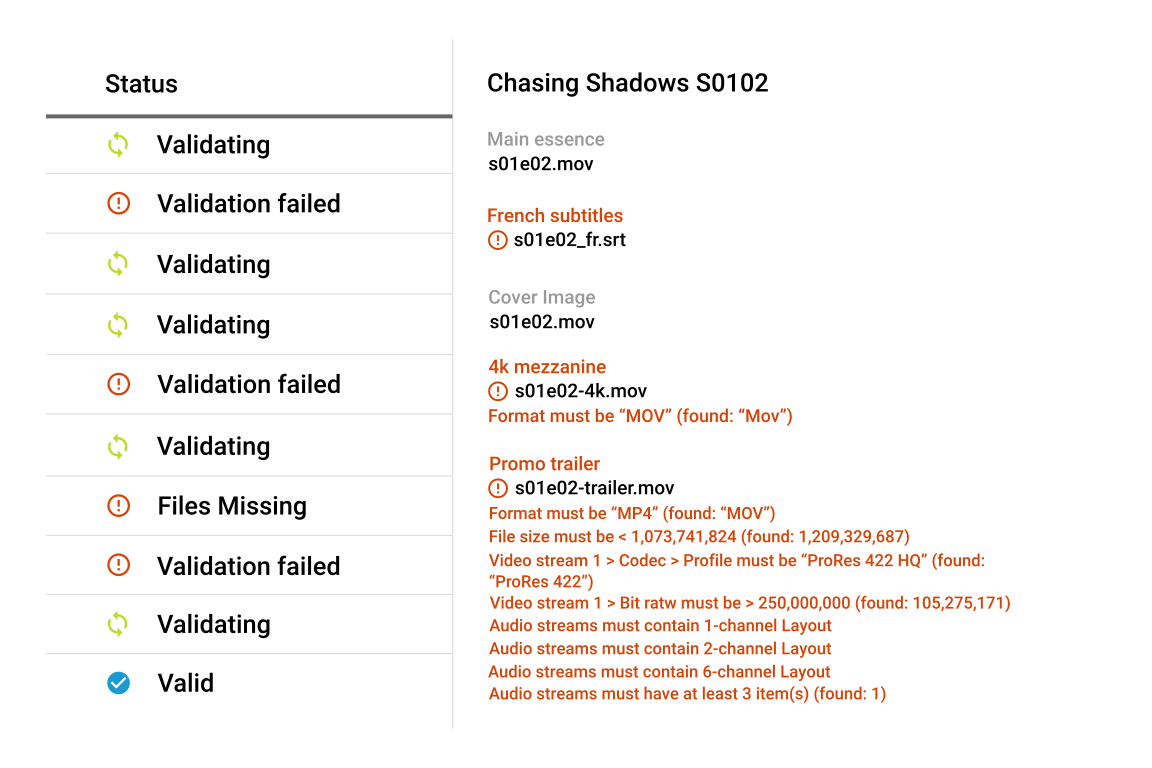
    Content submitters can see submission statuses in real time through a trackable work order. Teams know: 

  • What has been submitted 
  • What passed validation
  • What failed and why 
  • What requires correction 
  • Issues can be corrected quickly and resubmitted without guesswork or delays.
    Deliver with Confidence

    6. Deliver with Confidence

    Once all materials pass validation, the package moves forward into downstream workflows such as preparation, distribution, or publishing. No additional manual verification is required, reducing delays and operational effort. 
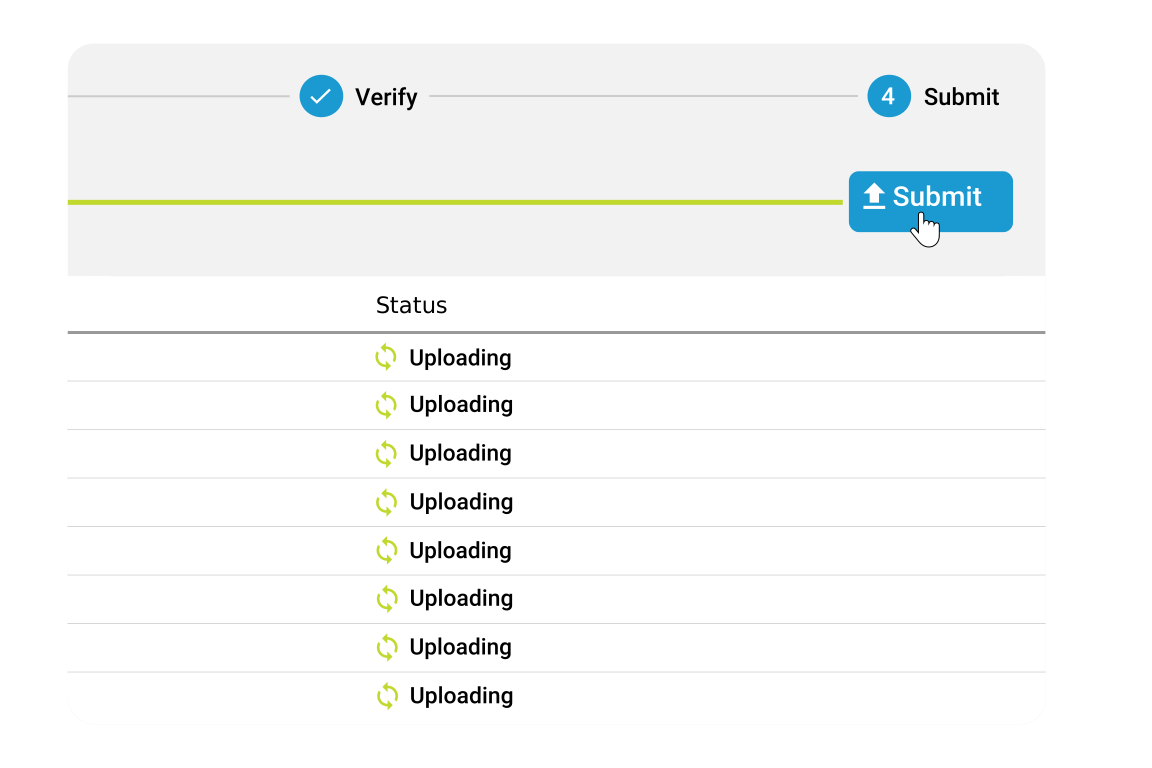
  • Validated packages are transferred using Signiant’s patented acceleration transport — fast, reliable, at any scale  
  • Content enters downstream workflows immediately — no manual re-checks needed 
  • The result: complete, compliant content delivered and ready for production 
  • Stop Fixing Deliveries After They Arrive

    See how Signiant Verify prevents issues before they enter your workflow. 

    Without Verify
    With Verify
    Incomplete deliveries
    Missing files found late 
    Complete Packages, Verified 
    All required assets are validated before transfer begins
    Spec Failures 
    Incorrect formats break downstream workflows
    Specs Enforced Upfront 
    Files are checked against technical requirements at submission
    Manual Validation 
    Spreadsheets, email, and human checks slow everything down
    Automated Validation 
    Every package is checked automatically against delivery rules
    Late Issue Discovery 
    Problems surface after storage, processing, or handoff
    Issues Caught Early 
    Errors are flagged before files move downstream 
    Operational Bottlenecks 
    Teams chase fixes and manage resubmissions
    Faster Connections 
    Clear results help suppliers fix issues immediately
    No Delivery Visibility 
    Teams can’t track submissions or validation statuses
    Real-Time Visibility 
    Track status, validation, and readiness in one view 

    FAQs

    How is Verify different from a Media Shuttle Submit portal?

    Media Shuttle moves files, while Verify ensures everything being submitted is complete, compliant, and meets delivery requirements before transfer begins. 

    What happens if a package fails validation? 

    Failures are flagged immediately with clear details, so suppliers can fix issues and resubmit before anything moves downstream. 

    Are teams notified when something fails? 

    Yes! Verify provides real-time status and validation visibility in the Signiant Console, with additional notifications planned in future releases. 

    Does Verify replace QC? 

    No, Verify handles early validation of structure and technical requirements, while editorial and content-level QC still happens later in the workflow. 

    Do suppliers need to have Signiant Jet to use Verify? 

    No, Verify works with Media Shuttle and the Signiant Platform, allowing structured submissions without requiring Jet. 

    Where does Verify fit in the workflow? 

    Verify sits at the point of submission, validating content before it enters preparation, distribution, or publishing workflows.